How to Apply IPO Online Using Global Smart Plus App

 May 3, 2026 6:21 am
Want to Apply IPO Online Using Global Smart Plus App without visiting a branch or website? With Global Smart Plus, you can complete your IPO application in just a few taps on your smartphone. The app makes the process quick and convenient no manual data entry, no queues, and no hassle.
If you have a Global IME Bank account with C-ASBA registration, you’re ready to invest and apply for IPOs online using the Global Smart Plus App directly from your phone.
Why Use Global Smart Plus for IPO Applications?
Mobile banking has changed how Nepali investors participate in the stock market. Instead of logging into websites or visiting branches, you can now apply for an IPO and check your IPO result anytime, anywhere directly from your smartphone. This convenience allows investors to stay updated and manage their investments quickly without any hassle.
The biggest advantage? Your CRN number fills in automatically. You don’t need to remember or type it manually every time.
Key Benefits at a Glance
- Apply from your smartphone in minutes
- Instant confirmation after submission
- Your money stays in your account (only blocked, not deducted)
- Blocked amount earns interest during the waiting period
- Safe and easy-to-use interface
Who Can Use This Feature?
Any Global IME Bank account holder can apply for IPOs through Global Smart Plus. Both individual and corporate customers are eligible.
You must have:
- An active Global IME savings account
- A DEMAT (Beneficiary Owner) account
- A MeroShare account
- Completed C-ASBA registration
What You Need Before Applying
1. Active Global IME Bank Savings Account
Your account must be operational with mobile banking enabled. It should not be frozen or restricted.
2. DEMAT Account
This account holds your shares electronically. Open it at any registered Depository Participant (DP) in Nepal, including Global IME Capital or any other institution.
3. MeroShare Account
Register your MeroShare account with the same DP as your DEMAT account.
4. C-ASBA Registration
C-ASBA links your bank account to your DEMAT account. Visit your nearest Global IME branch once to complete this registration. Bring your DEMAT and bank account details.
5. CRN Number
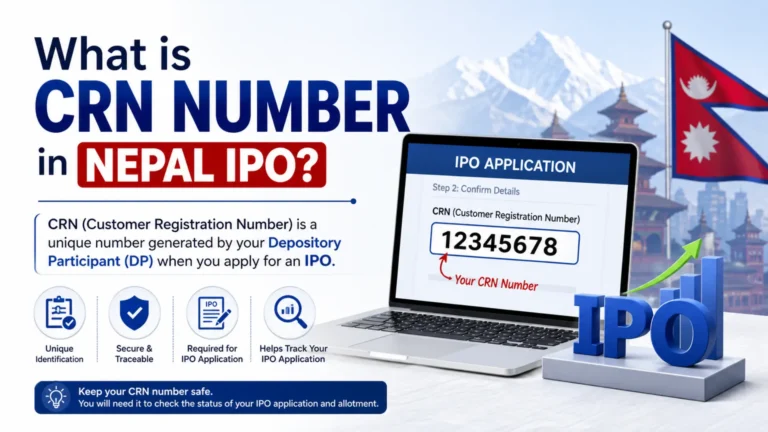
Your Client Registration Number (CRN) is issued during C-ASBA registration. Keep it safe it’s your unique identity for every IPO application.
6. Sufficient Account Balance
Calculate: Number of Kitta × Price per share. Keep a small buffer for ASBA charges, too. If ASBA charges aren’t covered, your application gets rejected.
7. Global Smart Plus App
Download from Google Play Store or Apple App Store. Complete registration and enable all necessary permissions.
Understanding IPO Basics in Nepal
What is an IPO?
An Initial Public Offering (IPO) is when a private company offers its shares to the public for the first time. Investors buy ownership stakes, and companies raise capital for growth.
How Does ASBA Work?
ASBA stands for Application Supported by Blocked Amount. Your money stays in your account but gets blocked. If you get an allotment, the amount is deducted. If not, the block is released automatically.
What is a CRN Number?
Your CRN links your bank account to your DEMAT account, ensuring allotted shares reach the correct place. Without CRN, mobile banking IPO applications are not possible.
How to Apply for IPO on Global Smart Plus
Step 1: Open the Global Smart Plus app and log in with your credentials.
Step 2: Tap on “Hub”, go to the Investment Section, then tap “Apply IPO”.
Step 3 (First-time users): Enter your DEMAT number, accept the Terms and Conditions, and tap Continue. Review the information being shared and confirm.
Step 4: Your ASBA registration completes and a CRN number is generated. Copy and save it, then tap “Back to Home”.
Step 5: Select an active IPO, enter the number of Kitta, review the details, and submit your application.
That’s it. You’ll receive instant confirmation on screen.
How to Check Your IPO Application Status
Open Global Smart Plus and go to the “Apply IPO” section. Tap “History” in the top-right corner. All your past and current applications appear with their latest status.
Expert Tips for IPO Applications in Nepal
- Always apply early don’t wait until the closing day
- Keep extra balance beyond the application amount for ASBA charges
- Double-check your Kitta count before confirming applications cannot be canceled
- Make sure your MeroShare and DEMAT accounts use the same DP
- Save your CRN number in a secure place
Common Mistakes to Avoid
Insufficient Account Balance
Many applications get rejected due to low balance. Remember, ASBA charges must also be available in your account not just the share amount.
Missing the Deadline
IPOs close at 5:00 PM on the closing date. Last-minute applications often fail due to server load or balance issues. Apply at least a day before.
FAQs About Apply IPO Online Using Global Smart Plus App
Conclusion
Applying for an IPO online has never been easier. Apply IPO Online Using Global Smart Plus App to invest in Nepal’s growing stock market with a simple and fully digital process. The platform is secure, and allows you to submit your IPO application in just a few minutes.
Simply complete your C-ASBA registration, keep your CRN ready, and start building your investment portfolio directly from your smartphone. Download Global Smart Plus today and make your next IPO application faster, smarter, and more convenient.

Asmita Neupane 
I’m Asmita Neupane, a content writer at IPOResult.org with 2–3 years of experience in IPO results and Nepal’s stock market. I simplify topics like DEMAT, BOID, and investing so readers can easily understand them. My focus is to provide clear, accurate, and helpful financial information.