
IPO Results Check Online in Nepal 2026
I still remember my first time applying for shares. The waiting felt really stressful, and when the day of the result came, I had no idea where to look. If you are feeling the same right now, you are not alone. Whether this is your first application or you have applied many times before, knowing where to check your allotment status is very important.
In this guide, I will show you the easiest ways to check your allotment result using platforms like CDSC and Mero Share, which are the most trusted portals for Nepali investors.
What Is Ipo Result
An IPO (Initial Public Offering) occurs when a company offers its shares to the public for the first time to raise funds and allow investors to become shareholders. In Nepal, many beginner investors prefer IPOs because the process is simple and the entry risk is usually lower compared to other stock market investments. It also gives investors the opportunity to earn potential returns and become part of a company’s growth from the beginning.
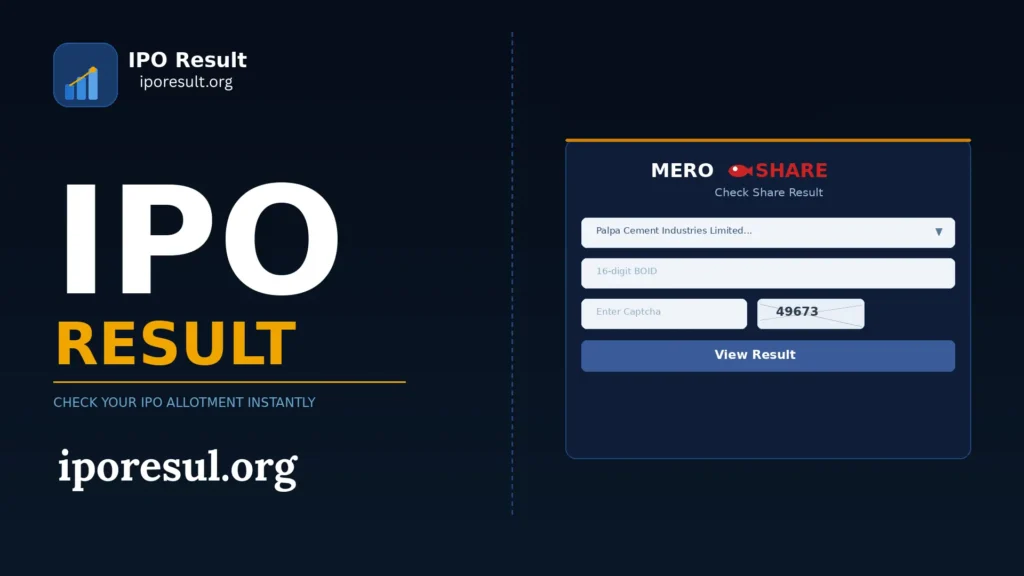
Key Features of IPO Result in Nepal
Computerized Lottery System
Shares are allotted through a digital lottery system when applications exceed available shares.
Minimum 10 Units Rule
As per the Securities Board of Nepal guidelines, each selected applicant receives a minimum of 10 units (shares), if available.
Online Result Checking
Investors can check their allotment status online through the CDS and Clearing Limited portal or MeroShare.
Transparent Process
The allotment process is fully digital to ensure fairness and accuracy.
Equal Opportunity
Every valid applicant has an equal chance of receiving shares in oversubscribed issues.
Quick Refund
If shares are not allotted, the invested amount is refunded to your bank account within a few days.
How to Check IPO Result Online in Nepal
1. Check IPO Result via CDSC Portal
The CDSC (Central Depository System & Clearing Limited) portal is one of the fastest and most reliable ways to verify your allotment.
Steps:
- Visit the official portal: iporesult.cdsc.com.np
- Enter your BOID number (issued from Mero Share)
- Select the company you applied for
- Click “View Result“
This will instantly show whether you were allotted shares or not. Using CDSC ensures you are getting the official allotment result directly from the source.
Check Latest IPO Results
[ipo_result_tool]
2. Check IPO Result Using Mero Share Account
If you have a Mero Share account, you can conveniently check your allotment online:
Steps:
- Log in to your Mero Share account
- Go to the “My ASBA” section
- Open the Application Report
- View the allotment status (Applied / Allotted)
If you don’t have a Mero Share account yet, you can apply for one online. This platform is widely used by Nepalese investors to track applications securely.
3. Check IPO Allotment via Bank ASBA Portal
Investors who applied through Bank ASBA can also check their allotment via their bank’s net banking portal. Most major banks provide an application history or status option to confirm allotment.
General Steps:
- Log in to your bank’s internet banking
- Navigate to the “Demat” or “e-Services” section
- Select ASBA or Equity
- Check “Application History” or Status
What is a BOID Number in IPO Result?
A BOID (Beneficial Owner Identification Number) is a unique 16-digit number that is linked to your Demat account. It is used to verify whether you have been allotted shares or not. Whenever you apply in Nepal, your BOID plays a very important role in the allotment process. It ensures that the shares you receive are deposited into the correct Demat account after the result is published through CDSC.
Key Details About BOID Number
- Structure: A BOID is a 16-digit numeric code assigned to every Demat account holder.
- Purpose: It acts as your unique investor identity for application, allotment checking, and share transfers.
- Where to Find Your BOID:
- In the welcome letter from your Depository Participant (DP)
- Inside your Mero Share account dashboard
- In your Demat account details provided by your bank or broker
Why BOID is Important for IPO Result Checking
You need your BOID number when checking your IPO allotment result online on official portals like CDSC. Without this number, you cannot confirm whether shares have been allotted to your account. In simple words, your BOID is your identity in the system, making sure that your allotted shares are safely credited to your Demat account after the result is announced.
Latest IPO Result Updates in Nepal
If you are waiting for the latest allotment result in Nepal, make sure to check updates from official platforms like CDSC, Mero Share, and Himalayan Capital Limited. Results are usually published a few days after the closing date. Once announced, investors can check their share allotment status online using their BOID number through CDSC or Mero Share portals. To stay updated, it is recommended to regularly visit these official websites during the allotment period.
Upcoming IPOs and Expected Result Dates
Several new public offerings are currently in the pipeline in Nepal, and investors are actively waiting for their allotment updates. For example, the result of Hotel Forest Inn Limited was expected around 16 February 2026, shortly after the subscription closed. Similarly, some hydropower issues are scheduled to open in late February 2026, and their expected result dates usually fall within 7 to 10 working days after the closing date, depending on verification and allotment processing by CDS and Clearing Limited.
Investors can check these upcoming updates through platforms like:
- Mero Share
- iporesult.cdsc.com.np
- Issue Manager’s official website
Keeping track of the expected result date helps you quickly check whether shares have been allotted or your application amount has been refunded.
How Long Does IPO Result Take After Closing Date in Nepal?
In Nepal, allotment status is usually announced within 1 to 7 working days after the subscription closing date. However, with improved digital systems, many issues now finalize within 2 to 3 working days.
Standard Allotment Timeline
- Application Verification: After closing, all applications are verified by the issue manager and CDS and Clearing Limited
- Allotment Announcement: Typically released within 2–5 working days
- Refund Process: Funds for unallotted shares are returned shortly after allotment
- Listing on NEPSE: Shares are generally listed within 3–6 working days after the result
For highly oversubscribed issues, the result may take slightly longer due to additional verification. The exact allotment date is always mentioned in the prospectus issued by the company.
Common Reasons Why IPO Result Shows Not Allotted
If your result shows “Not Allotted“, it usually means your application was not selected during the share distribution process. In Nepal, allotment is conducted through a computerized lottery system managed by CDS and Clearing Limited, especially when the issue is oversubscribed.
Below are the most common reasons for non-allotment:
- High Oversubscription:
When the number of applicants is much higher than the available shares, allotment is done randomly through a lottery. Even valid applications may not receive shares. - Multiple Applications from the Same PAN:
Submitting more than one application using the same PAN number can lead to rejection of all submitted applications. - Incorrect BOID or Bank Details:
Errors in BOID number, bank account details, or PAN information may result in an invalid application. - Application Below Cut-Off Price:
Applying at a price lower than the final issue price may disqualify you from the allotment process. - ASBA Payment Not Approved:
Failure to approve the payment mandate through your bank within the given deadline can result in application rejection. - Technical Issues During Submission:
Last-day submissions may sometimes fail due to system delays or banking network issues.
Ensuring accurate details and timely payment approval can help improve your chances of successful allotment in future applications.
What happens after the IPO Allotment Result is Declared?
After the allotment result is announced:
- Allotted Shares Credited: If you receive shares, they are credited to your Demat account within a few working days by CDS and Clearing Limited.
- Refund Processed: If not allotted, your blocked ASBA amount is automatically released back to your bank account.
- Share Listing: The company’s shares are listed on Nepal Stock Exchange (NEPSE) within 3–6 working days.
- Trading Starts: Once listed, you can sell or hold your shares as per your investment plan.
How to Download IPO Result PDF Online
You can easily download your allotment result PDF online using the official portal of CDS and Clearing Limited or through your Mero Share account.
Steps to Download IPO Result PDF (via CDSC Portal)
- Go to the official result portal of CDSC.
- Select the company from the dropdown list.
- Enter your 16-digit BOID (Demat Account Number).
- Click on “View Result” to check your allotment status.
- Once the result appears on the screen, press Ctrl + P (or Cmd + P on Mac).
- Choose “Save as PDF” to download your result for future record.
This is the fastest way to keep a soft copy of your allotment result for personal use.
Can You Check IPO Result Without Mero Share?
Yes, you can check your result without using Mero Share by using other official and trusted platforms in Nepal.
1. Check via CDSC IPO Result Portal
The easiest method is through the official portal of CDS and Clearing Limited.
Steps:
- Visit the CDSC result website
- Select the company name
- Enter your 16-digit BOID number
- Click on “View Result“
You don’t need to log in to Mero Share to see your allotment status.
2. Check via the Issue Manager Website
Results are also published on the official websites of issue managers like:
- NIBL Ace Capital
- Prabhu Capital
You can visit their site, enter your BOID, and check whether shares are allotted to you.
Important Note
Make sure you have your 16-digit BOID (Demat Account Number) ready. This is required to verify your allotment result on any platform.
Benefits of IPO Result
Checking your allotment result is an important step for every investor, especially after applying for shares in a public issue. It helps you understand your investment status and plan your next move accordingly. Here are some key benefits:
Know Your Allotment Status
Check whether you received shares after the IPO allotment process.
Better Investment Planning
Decide whether to hold the shares for long-term growth or sell after listing.
Refund Confirmation
Verify that your blocked ASBA amount is returned if shares are not allotted.
Track Investment Activity
Stay updated on your applications and participation in new IPOs.
Pros and Cons of IPO Result in Nepal
Pros
Cons
How to Fix IPO Application Errors Before Result
If you made a mistake while applying in Nepal, don’t worry, you can fix errors before the allotment result is announced, but only before the closing date.
Here’s what you should do:
1. Modify or Cancel Your Application
Log in to your Mero Share account or your bank’s ASBA portal.
- Go to My ASBA section
- Find your application
- Click on Modify or Cancel
- Correct the bid quantity or other details if needed
- Re-submit the application before the deadline
Once the issue closes, no changes can be made.
Tips to Increase Chances of Allotment
- Apply for minimum shares (10 units)
- Apply using different family members’ Demat accounts
- Enter correct BOID and bank details
- Keep sufficient bank balance in your account
- Avoid multiple applications from same BOID
- Apply before the last day to avoid errors
- Ensure ASBA amount is successfully blocked by bank
- Check details verified by CDS and Clearing Limited
Difference Between IPO Applied and IPO Allotted
| IPO Applied | IPO Allotted |
|---|---|
| Shares you requested during application | Shares you actually received after allotment |
| Happens during the open period | Happens after the issue closes |
| Funds are blocked in your bank account via ASBA | Funds are debited only if shares are allotted |
| You may apply for 10, 100, or more shares | You may receive full, partial, or zero shares |
| Application is submitted through Mero Share / Bank | Shares are credited to your Demat account |
| No guarantee of receiving shares | Final result confirmed by CDS and Clearing Limited |
Customer Support in Nepal
If you are facing any issue while checking your result, such as application status not showing or allotment details missing, you can contact the official customer support platforms below:
| Organization / Support | Details |
|---|---|
| CDS and Clearing Limited (CDSC) | |
| Website | https://cdsc.com.np |
| [email protected] | |
| Phone | +977-1-5970365 |
| MeroShare Support | You can also contact support through your MeroShare account or reach out to your DP (Depository Participant) for application or Demat-related issues. |
FAQs About IPO Result
Conclusion
Checking your allotment result in Nepal is now quick and simple thanks to online platforms like MeroShare and the IPO Result CDSC portal at cdsc.com.np. Whether you are a first-time investor or have applied before, you can easily find out your allotment status on CDSC Nepal using your BOID number in just a few steps.
Understanding how to check your IPO Result Nepal helps you stay updated on your investments and plan your next move wisely. Always make sure to check from official sources like iporesult.cdsc.com.np to get accurate and reliable information about your share allotment.

Asmita Neupane 

I’m Asmita Neupane, a content writer at IPOResult.org with 2–3 years of experience in IPO results and Nepal’s stock market. I simplify topics like DEMAT, BOID, and investing so readers can easily understand them. My focus is to provide clear, accurate, and helpful financial information.